Every business deals with the same quiet, invisible problem: email attachments.
Invoices. Contracts. Receipts. Client files. Supplier documents.
They arrive in different inboxes, from different people, with different naming conventions and every week someone loses hours downloading, renaming, filing, and trying to keep it all organized.
It’s repetitive.
It’s boring.
And it steals time away from actual work.
What most teams don’t realise is that this problem is perfect for automation and the solution is far simpler than the overwhelming tools and templates you’ve probably seen online.
The Simple Workflow Behind the Magic

The automated attachment organizer follows four logical steps:
- An email arrives with an attachment
It could be an invoice, contract, image, spreadsheet, or scanned document – the system detects the attachment immediately. - The file is saved to the correct folder in Google Drive
You define the rules once (like “Invoices → Finance folder”), and the workflow takes care of the rest.
No dragging, dropping, or hunting for the right directory. - The file is renamed consistently
Forget filenames like “Invoice_final_v27.pdf” or “scan12345.jpg.”
Your workflow renames each file using a clean, predictable format:
Vendor – Date – Type.pdf
Searchability instantly improves. - The original email is labeled and organized
Everything is tidy – both in your inbox and in your Drive.
The result?
No more filing. No more confusion. No more lost documents.
Why This Matters More Than You Think
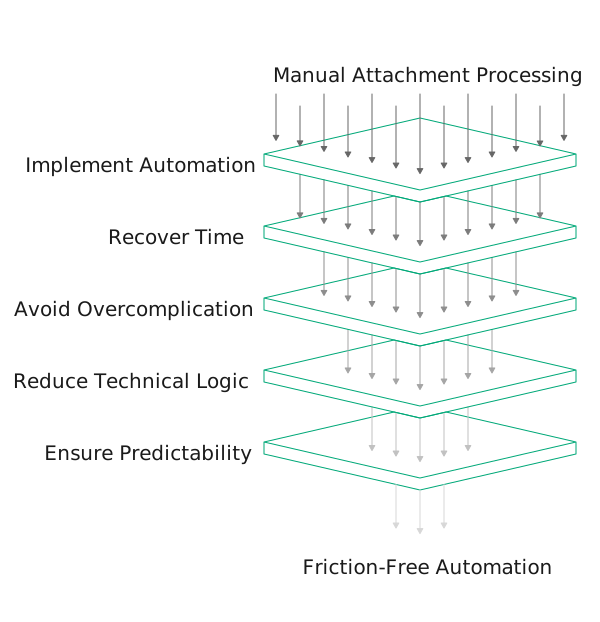
When we implemented this workflow for a client, they recovered six hours every single week – time previously spent manually processing attachments.
That’s more than 300 hours a year regained from one small automation.
And here’s the important part:
Most people who try to automate this using premade templates from Make.com or Zapier quickly get overwhelmed. These platforms are powerful, but they often:
- Overcomplicate simple workflows
- Expect users to understand technical logic
- Push multi-step “DIY automations” that break easily
- Or become expensive as usage increases
This workflow shows the opposite.
Automation can be calm, predictable, and friction-free – especially when it’s designed to fit your business instead of fitting inside a tool’s limitations.
A Gentle First Step Into Automation
Viewing this workflow isn’t about learning a platform or building something yourself.
It’s simply a chance to see how automation should feel:
clean, helpful, invisible.
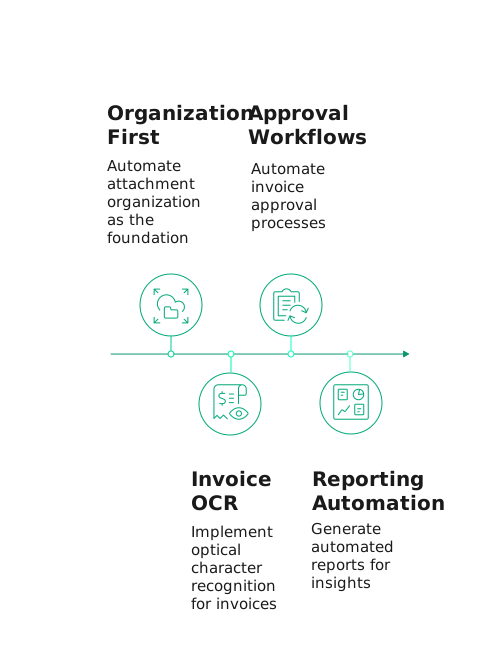
Once attachment organization is automated, you can build upward into smarter layers – invoice OCR, approval workflows, reporting automation, and more.
But it always starts here:
Organization first. Then intelligence.
Take a look at the workflow.
See how effortless this can be.
Then imagine the possibilities when the rest of your operations start working just as smoothly.
Curious how ready your business is for automation?
See where automation can make the biggest impact for you